Set up your school schedule
Enter your schedule once. School life uses it for your daily view, Backpack and evening reminders.
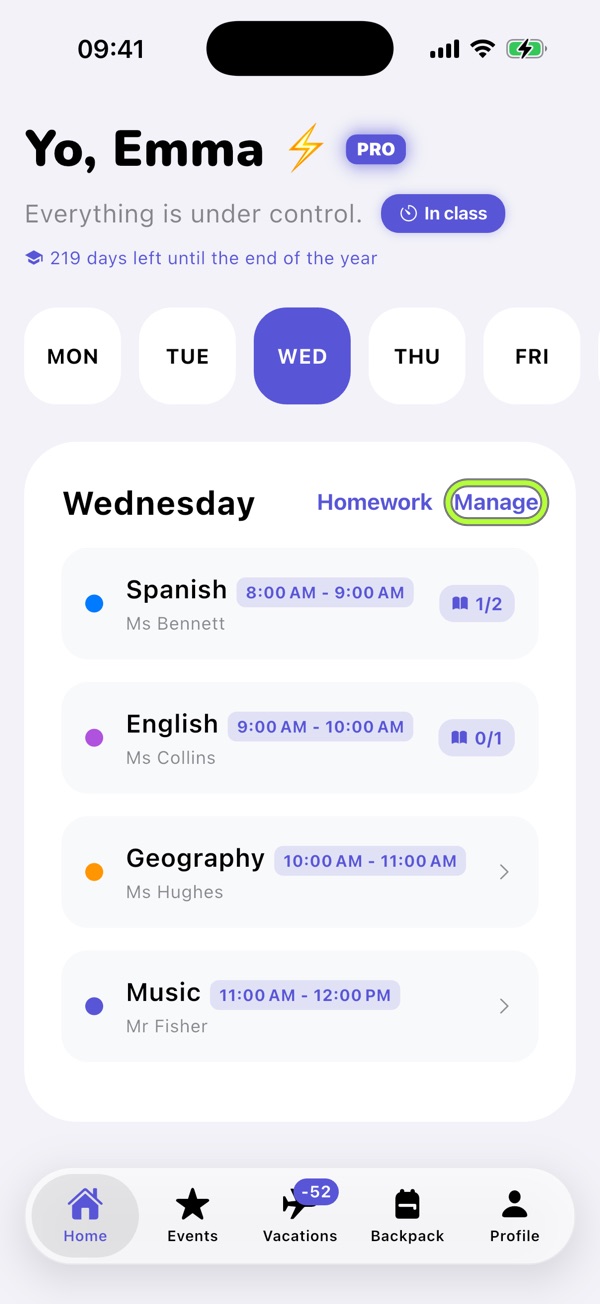
1Choose a day and tap Manage
In Home, choose a weekday at the top, then tap Manage.
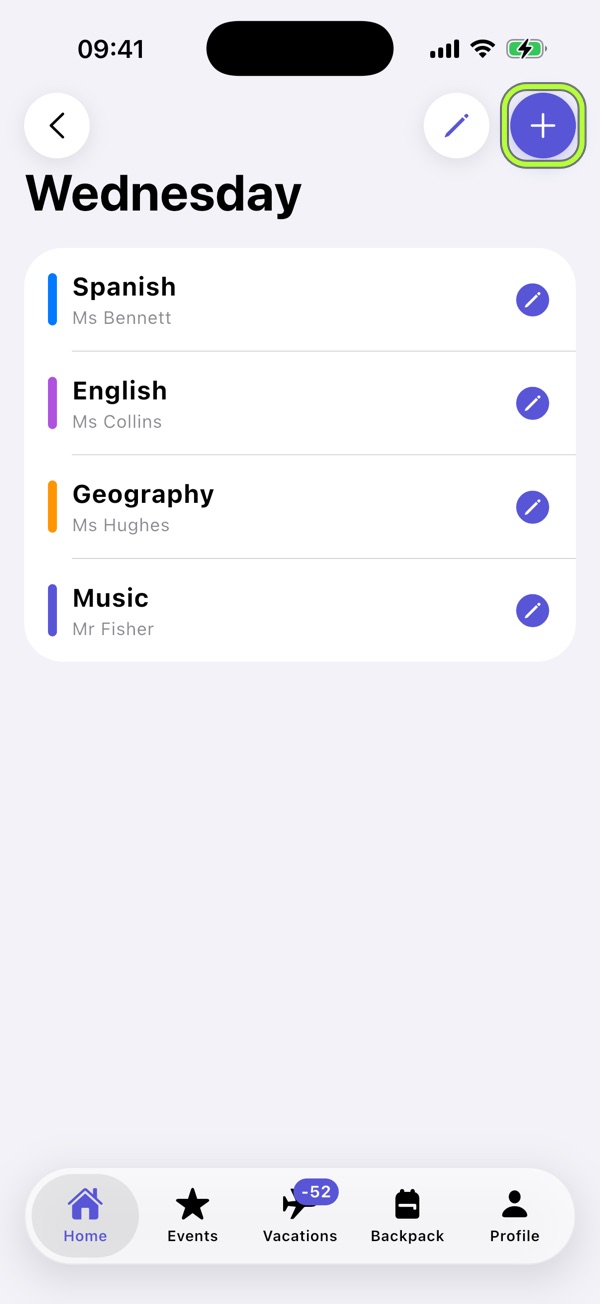
2Tap + to add a subject
The day’s subjects appear. Use + to add one; the pencil lets you reorder or delete subjects.
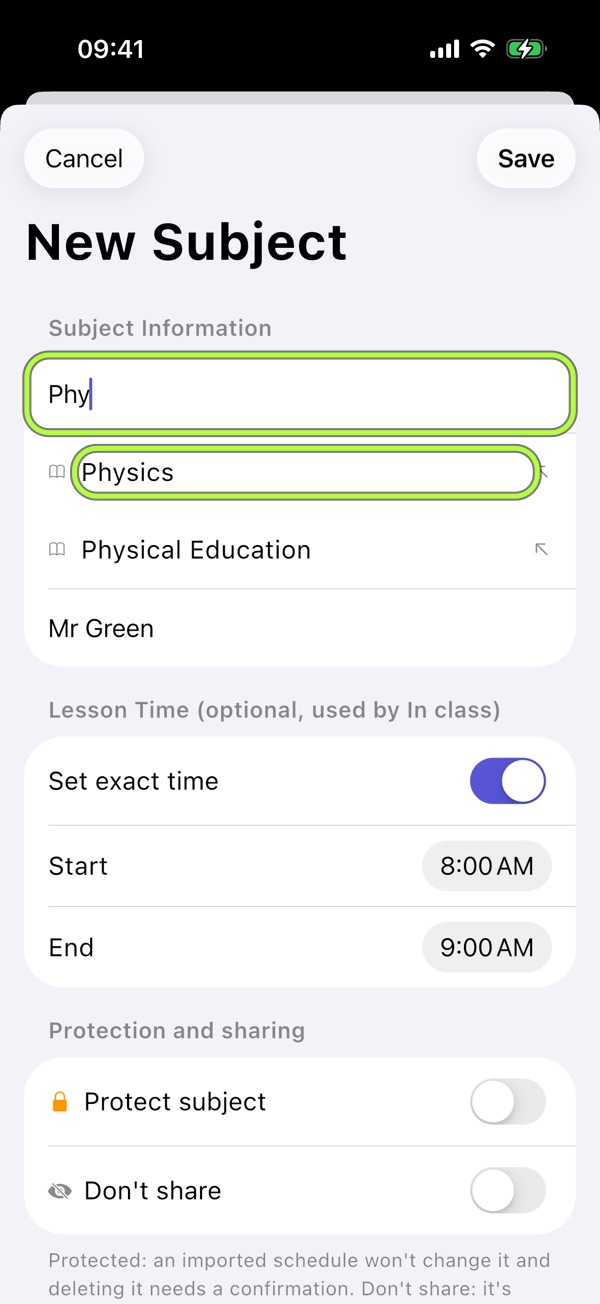
3Fill in the subject and save
Enter the subject and teacher. If needed, set exact start and end times. Pick a colour and tap Save.
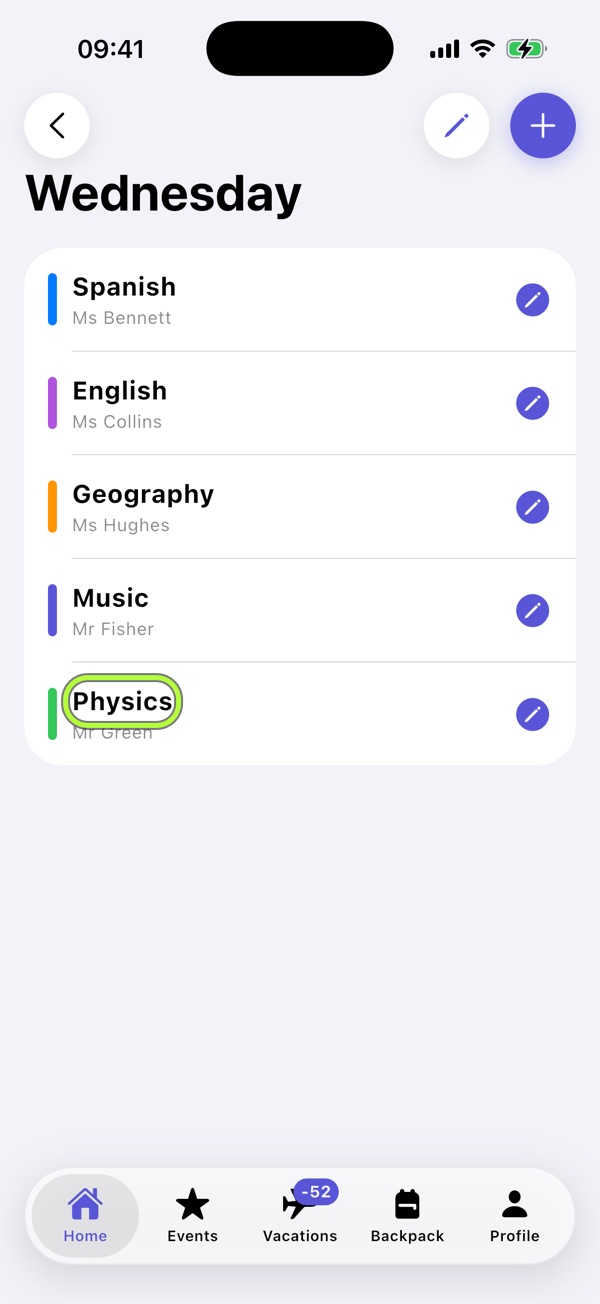
4Repeat for the week
The subject appears in Home with its colour and time. Repeat for each lesson and day.
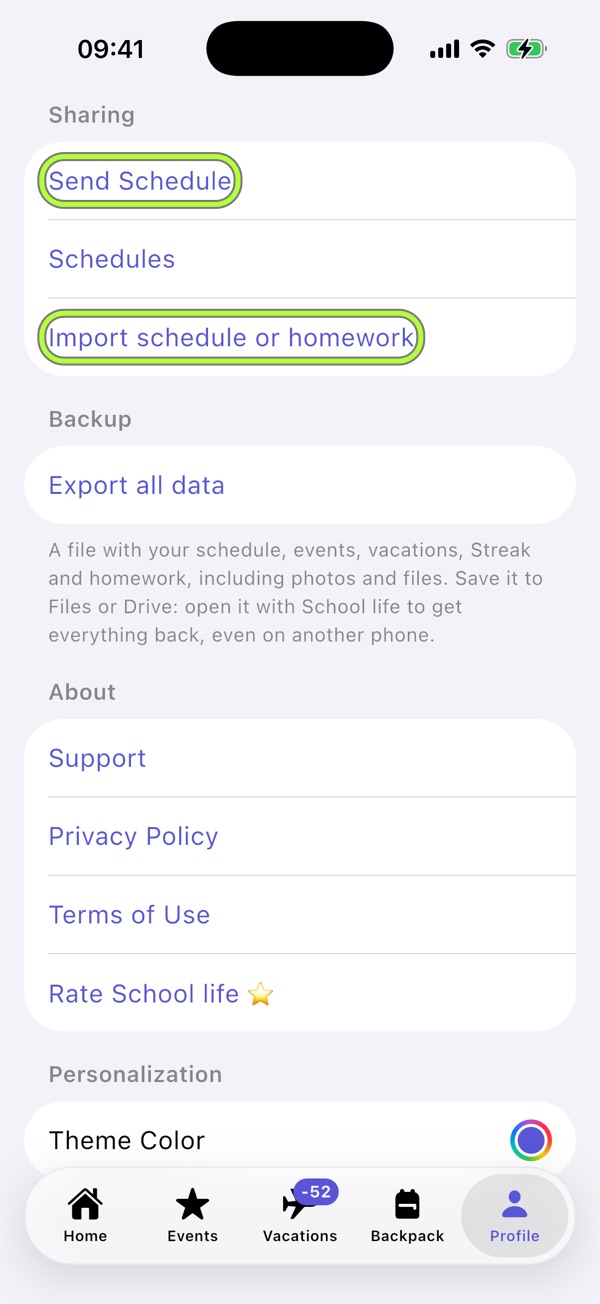
5Share with your class
In Profile, choose Send schedule and send it through your preferred app. Classmates open the file and review the import instead of typing it again.
For a substitute lesson or early finish, use Pro Mode to change just that day without rewriting the weekly schedule.

School life brings it together.Your schedule, evening Backpack, tests and Vacations in one free app. No account, no ads.
Download on the App Store