School,
under control.
Schedule, Backpack, tests and Vacations in one app. Share the schedule with your class and prepare what you need for tomorrow.
Android: coming to Google PlayEverything you need.
Nothing extra.
Choose a feature. These are real screenshots of version 1.0.1.
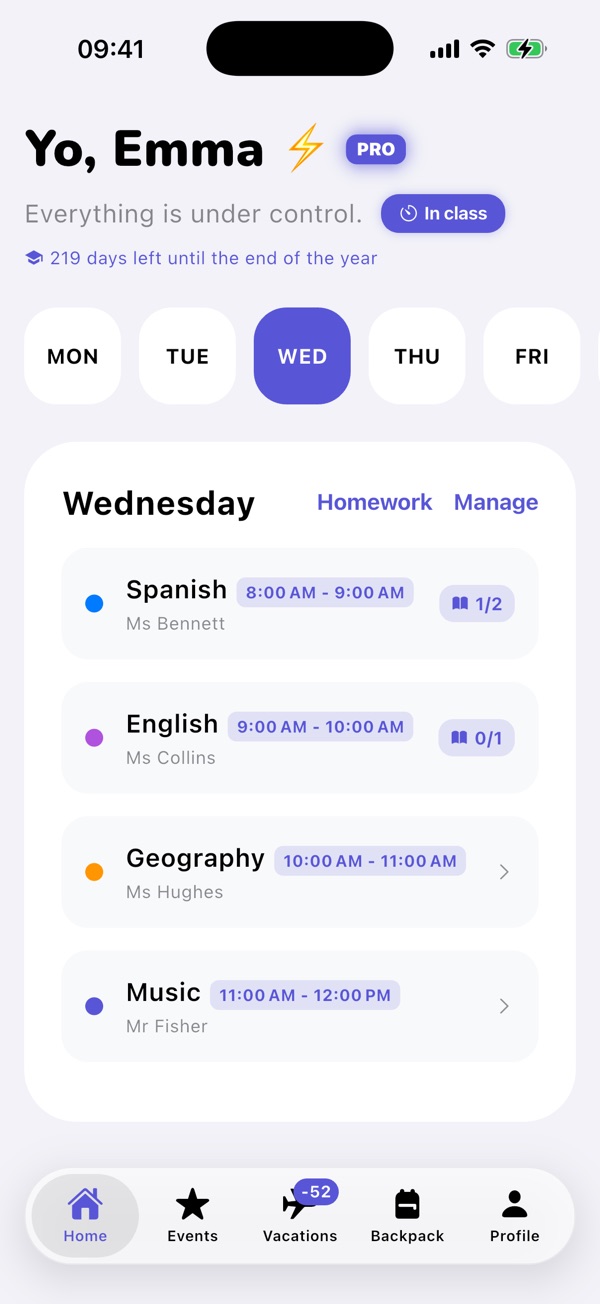
Your schedule, always to hand.
Enter subjects, teachers, colours and lesson times once. Home shows the lessons for the day you choose.
- Subjects and teachers
- Lesson start and end times
- Current, upcoming and past schedules
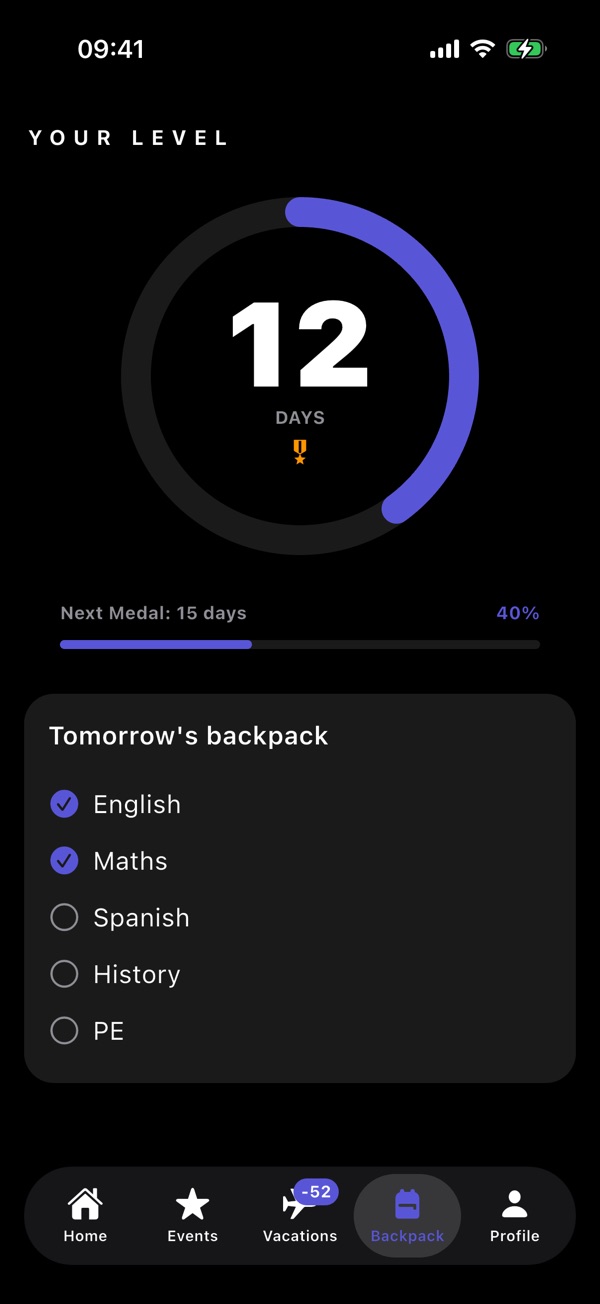
Prepare tomorrow, one tick at a time.
Backpack shows tomorrow’s subjects. Tick them as you pack your books and notebooks: build your Streak and earn medals.
- A list from your schedule
- Progress and medals
- Weekends and Vacations don’t break your Streak
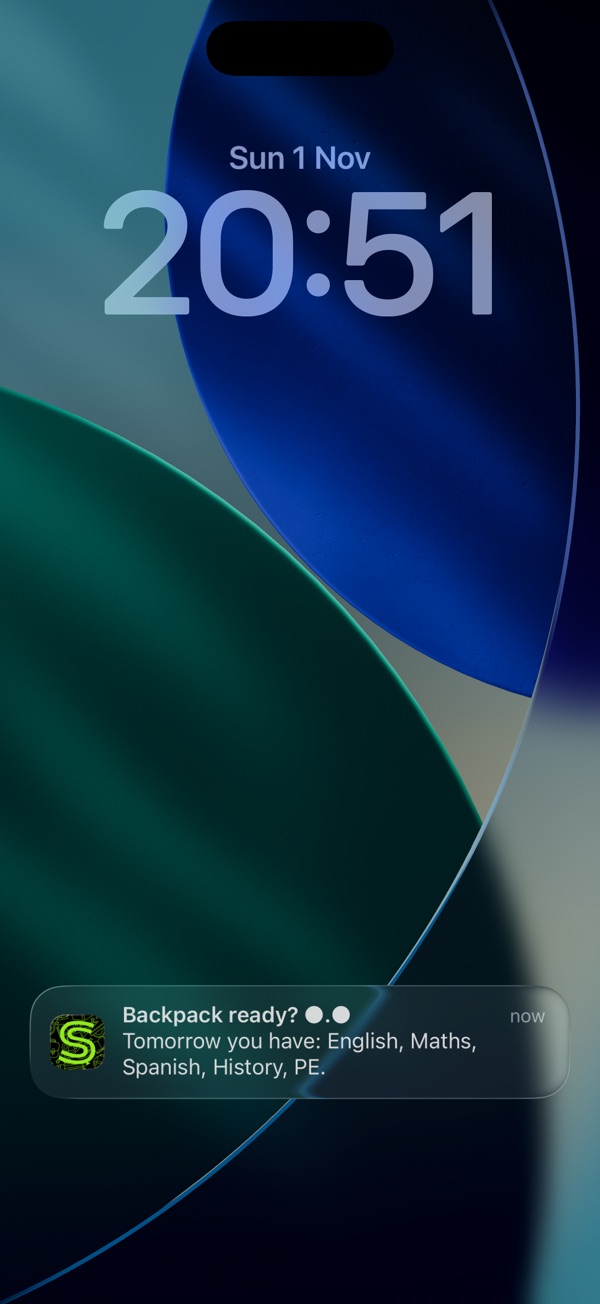
A reminder at your chosen time.
Get a local notification with tomorrow’s subjects and events. Reminders pause during Vacations and outside the school year.
- Choose the time in Profile
- Tomorrow’s subjects and events
- No server for notifications
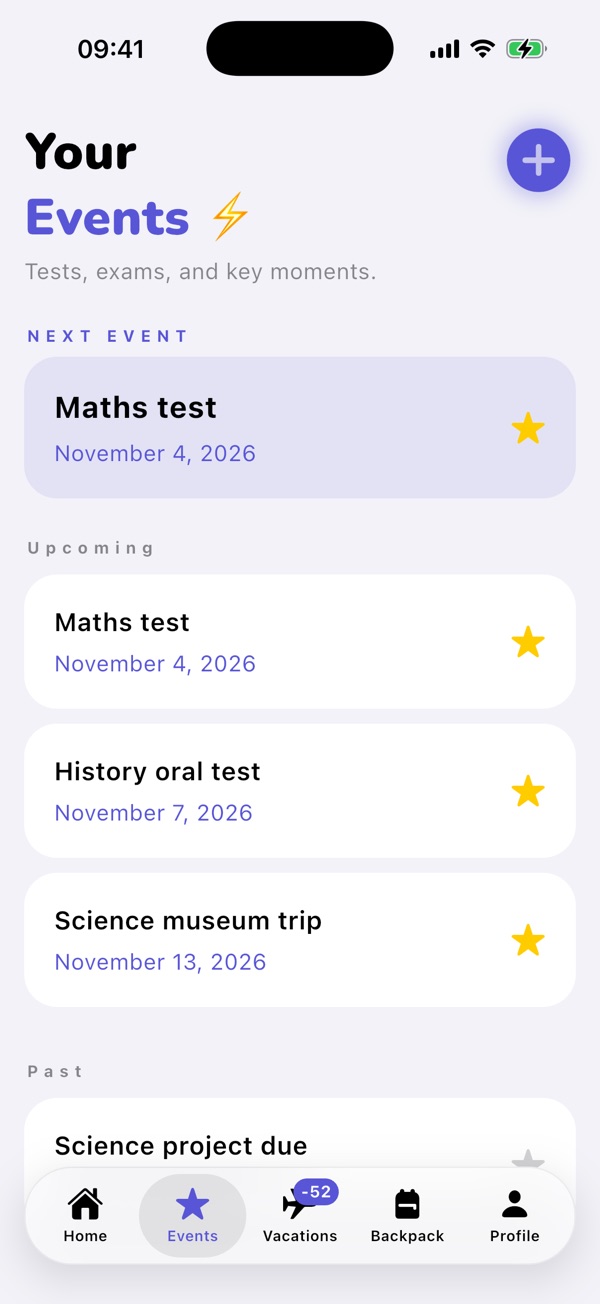
Your next test is already noted.
Add tests, presentations, trips and deadlines. The next event stays in view.
- Events in date order
- A reminder the evening before
- With Pro: events in Backpack too
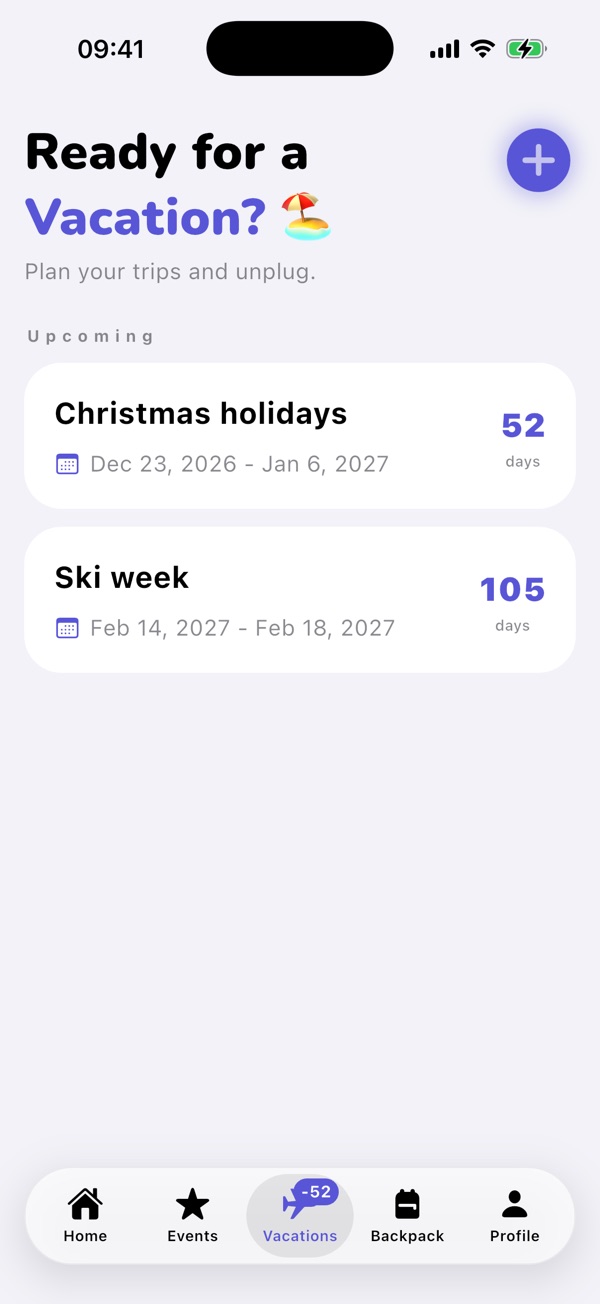
How long until the next break?
Add your Vacations and watch the countdown. The −N badge on the icon shows the days remaining.
- Countdown
- −N
- Reminders pause during Vacations
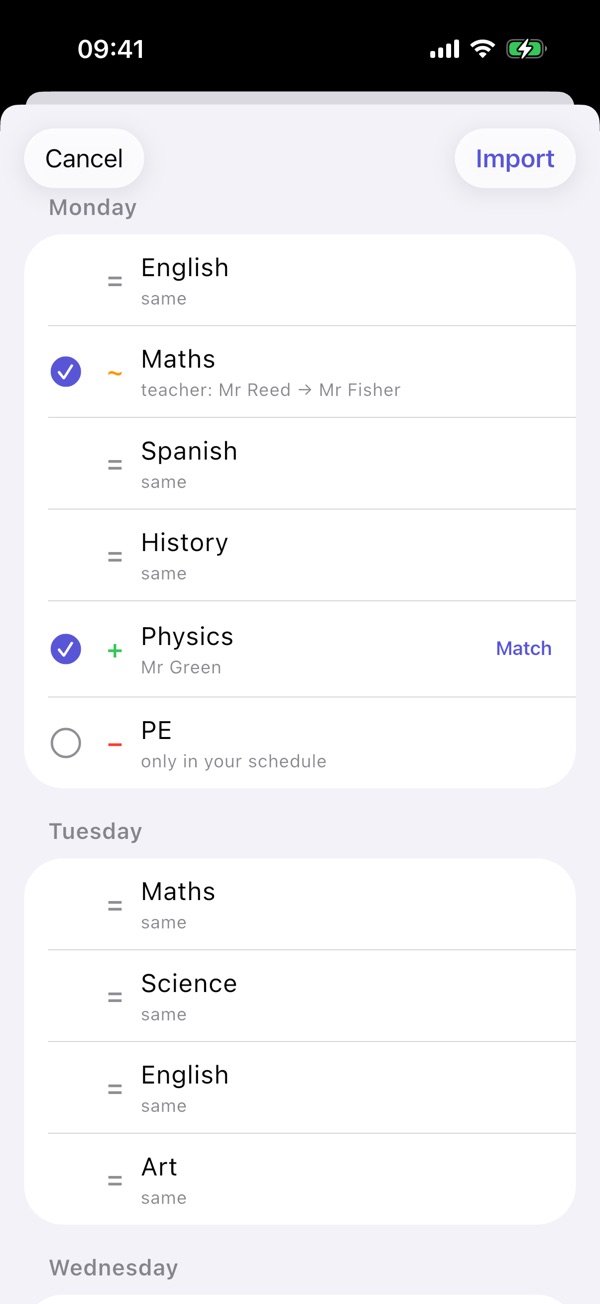
One person writes it. Everyone chooses what to import.
Choose subjects, teachers, times, class and start date. The recipient opens the .schoollife file and sees + new, ~ changed and − to remove before importing.
- Lock and Don’t share
- Updates without duplicates
- Undo from Recent imports
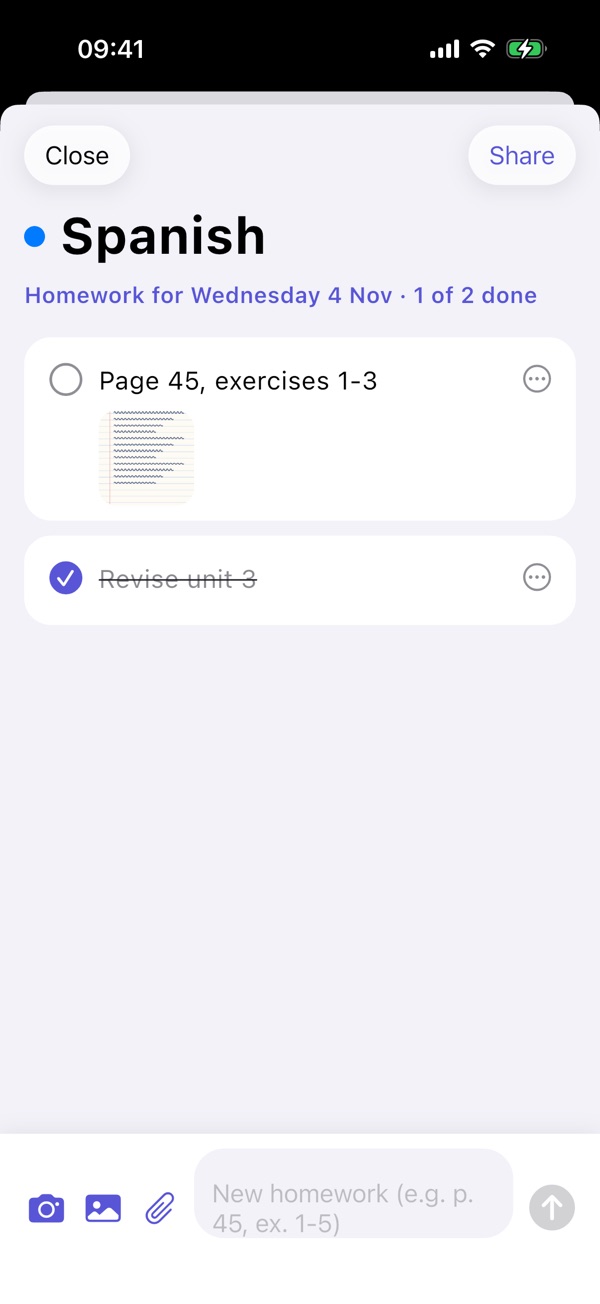
Text, photos and files. In the right subject.
Add Homework by subject and date, attach photos and files and tick completed tasks. Share them: received corrections appear in the preview for review.
- Board photos and documents
- Share with your class
- Updates with a choice of Mine / Theirs
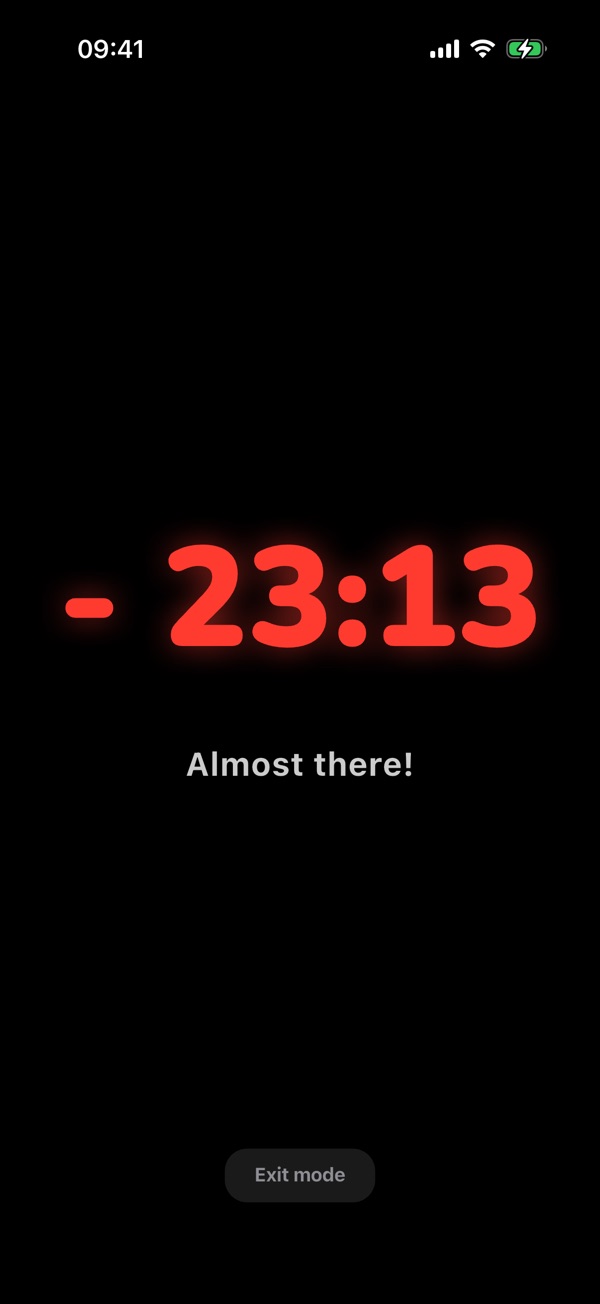
Days change. Your schedule adapts.
Use the real calendar, change a single day and send a Specific week. In class shows the countdown to the bell.
- Changes just for today
- Events in Backpack
- Timer and confetti at the bell
More room for days that are different.
Pro Mode
A real calendar and changes just for today. Send a Specific week with trips and substitute lessons; choose any start date.
In class
A full-screen timer until the bell, with messages and confetti.
Homework
Text, photos and files by subject and day. Tick, share and review classmates’ updates.
Events in Backpack
Add a test or trip to Backpack the evening before. Current, upcoming and past schedules are also available for free.
Try it free for 2 weeks
A 2-week free trial, once per account, then an annual subscription at the price shown in the App Store in your currency. Automatic renewal: cancel at least 24 hours before the end in your account settings. With notifications allowed, reminders arrive 3 days and 1 day before the trial ends.
If you don’t continue, your data stays saved. Pro features return as you left them when you subscribe again.
Family Sharing on iPhone
One subscription for your family, up to 6 people, with Apple Family Sharing.
Subscription termsA copy when you need it.
No BOMA account
No ads, analytics or tracking. Notifications are local and BOMA has no access to your data.
Automatic backup
On iPhone, iCloud keeps a copy of your data and Homework text, without attached photos or files. Each device has its own copy: this is not synchronisation. On Android, coming soon, backup follows your Google settings.
Export all data
Create a .schoollife backup with photos and attachments from Profile. Save it wherever you like and open it on your new phone. Automatic restore requires an available backup and an app with no existing data.

Available on the App Store.
School life is free for iPhone with iOS 16.6 or later, in all countries except mainland China. Coming soon to Google Play for Android.