Temporary and final schedules
Keep past periods and prepare upcoming schedules. Specific week handles daily variations with Pro.
1Open the new schedule
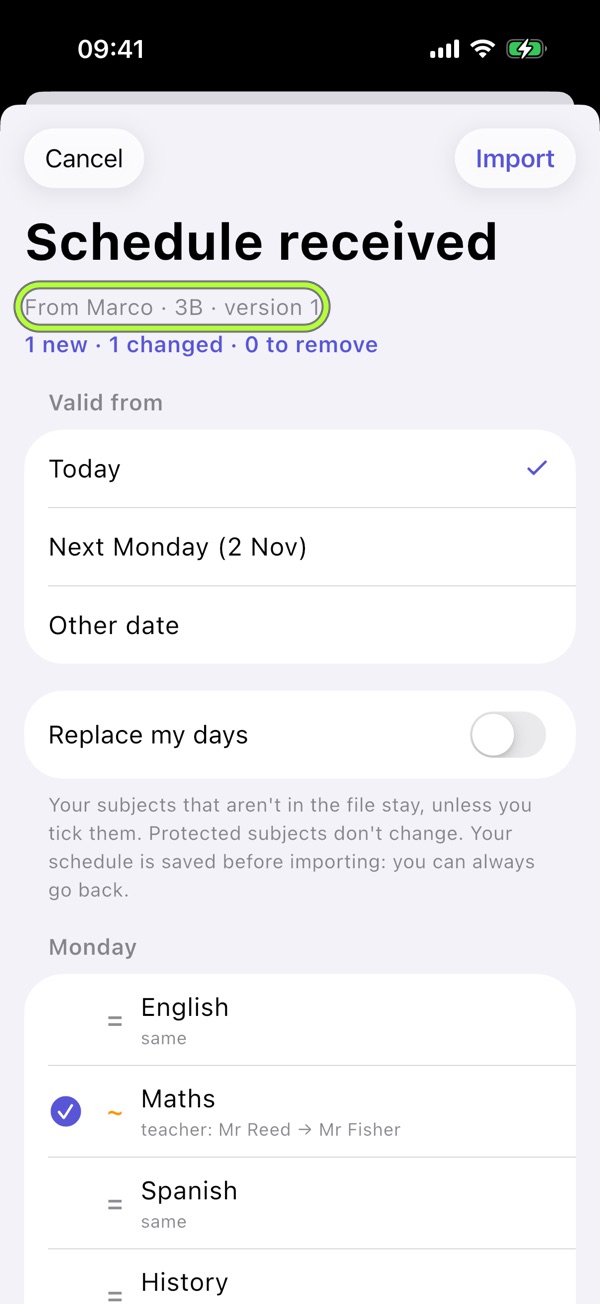
Open the class’s .schoollife file and review new, changed and removed lessons.
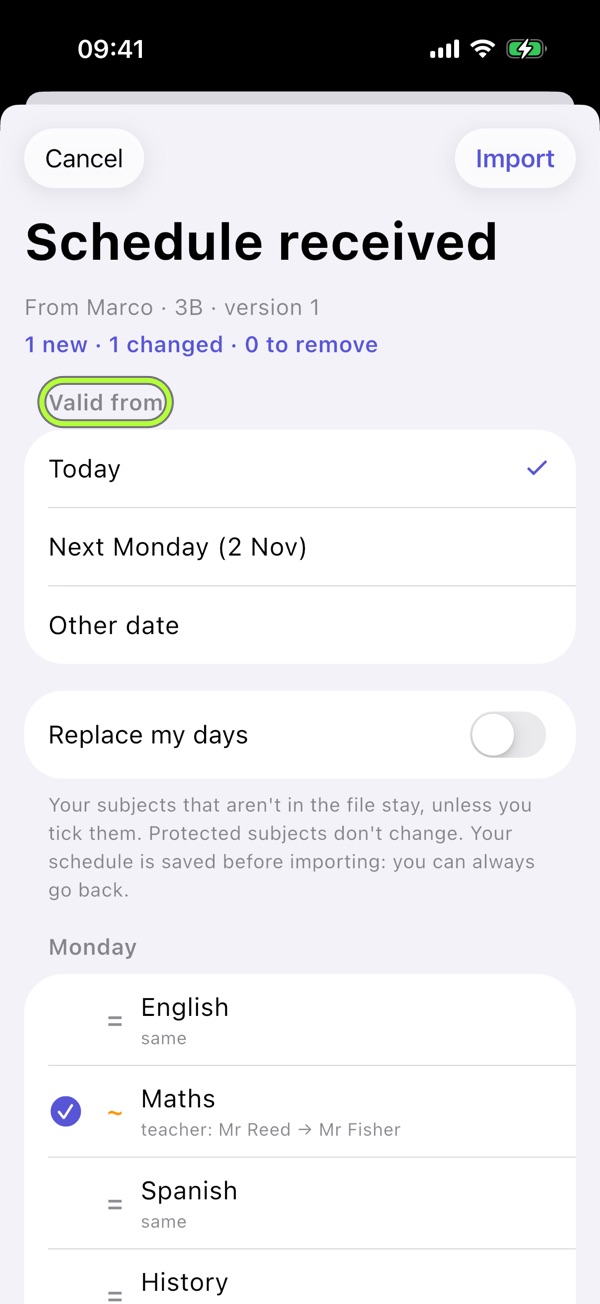
2Choose when it starts
Today or next Monday are free; Pro allows any date. Confirm differences before importing.
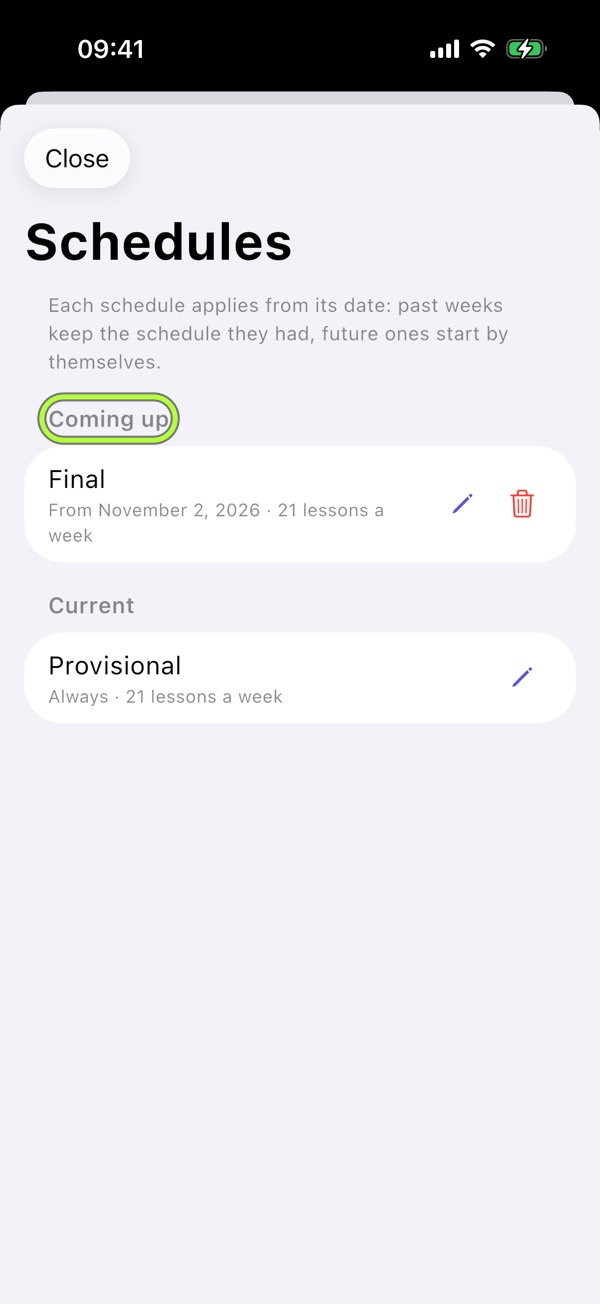
3Browse Schedules
Profile → Schedules shows current, upcoming and past schedules. New periods start on their date; past weeks keep their old schedule.
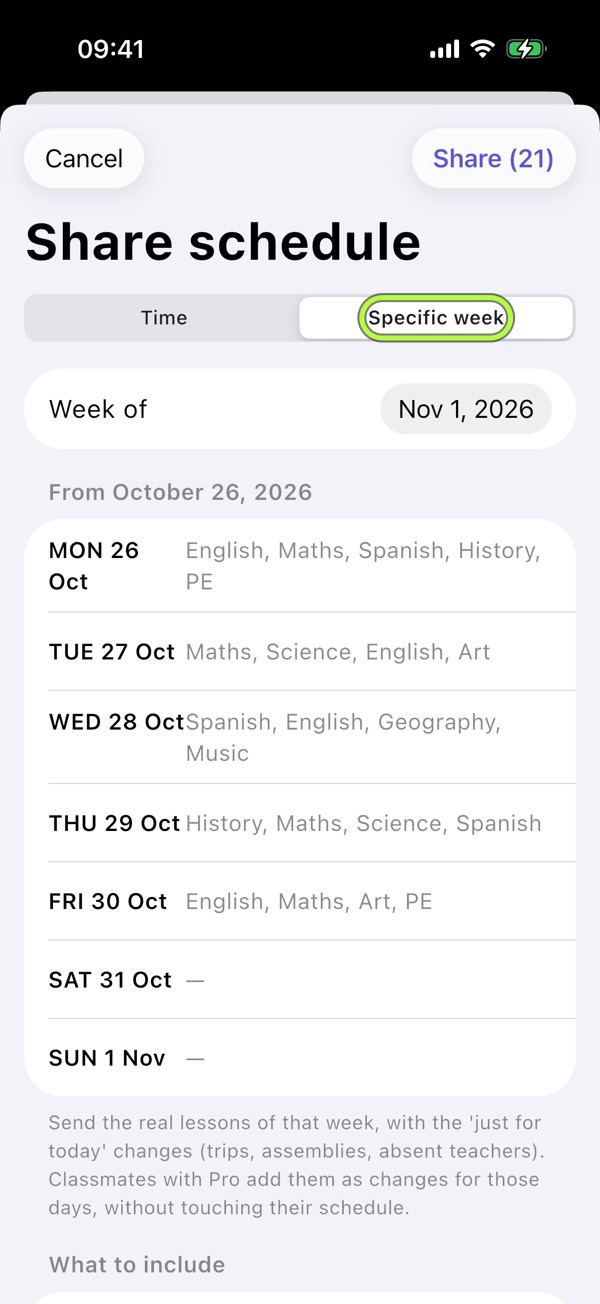
4Send a Specific week
With Pro, choose Specific week in Send schedule. Received variations become changes just for today. Undo through Recent imports.

School life brings it together.Your schedule, evening Backpack, tests and Vacations in one free app. No account, no ads.
Download on the App Store