Keep track of tests and deadlines
Write down dates when they are announced so your next test stays in view.
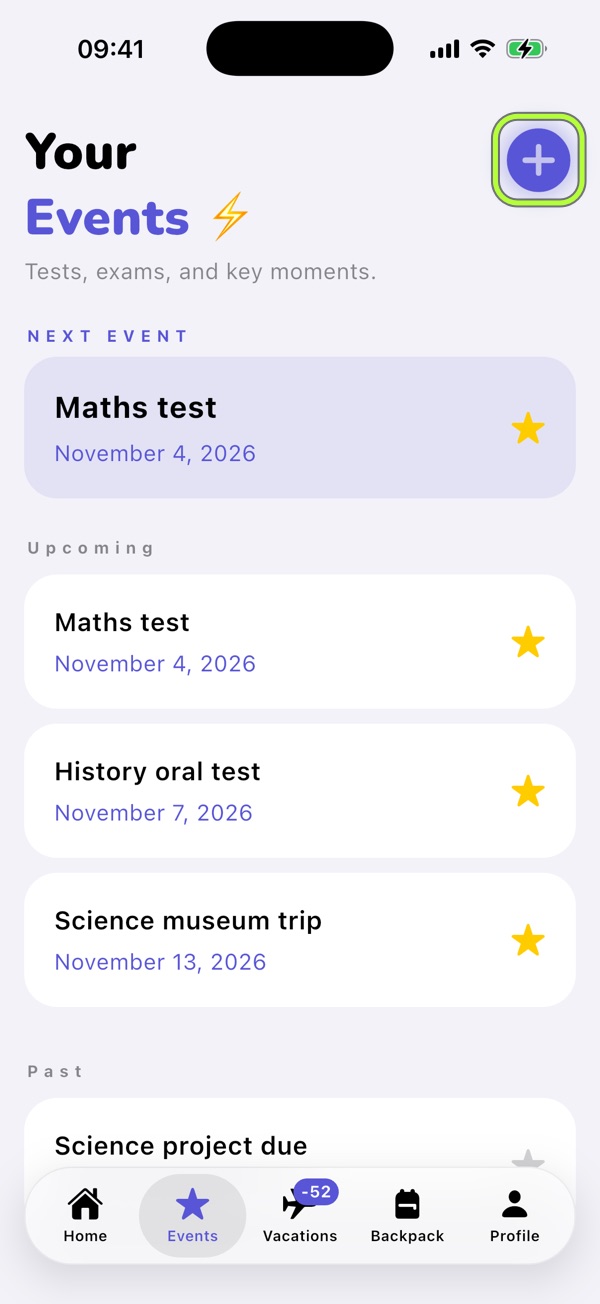
1Open Events and tap +
Use the + button in Events to add a test, presentation, trip or deadline.
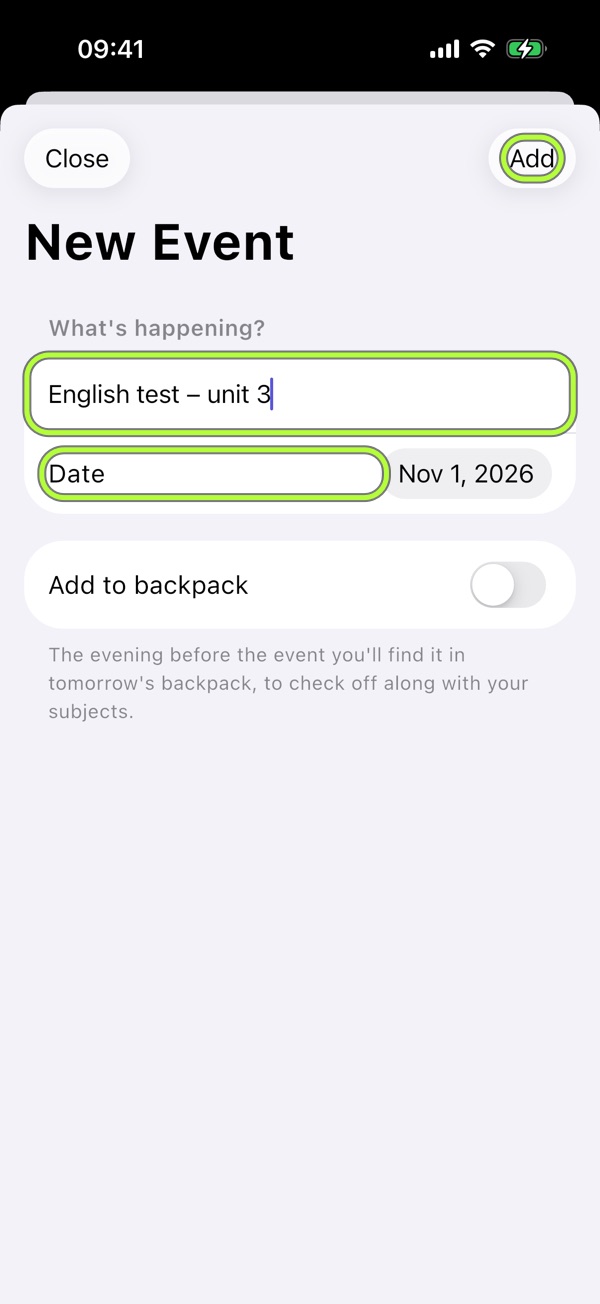
2Add a title and date
For example, enter “English test — unit 3”, choose the date and tap Add. Include the topic so you know what to revise.
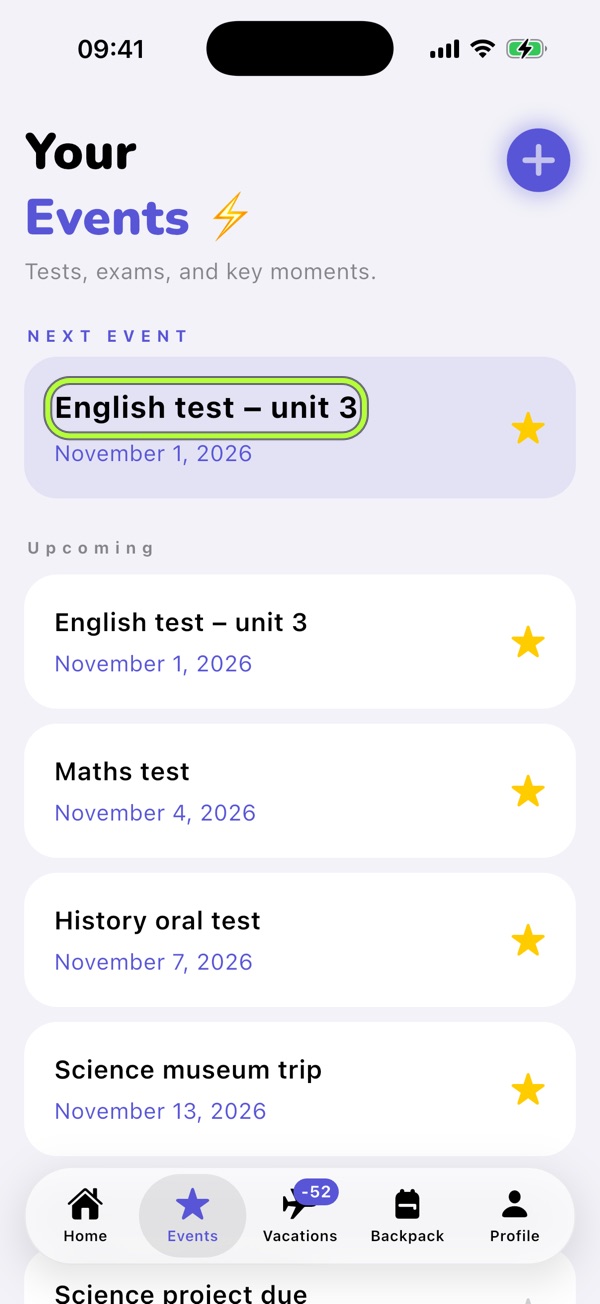
3Check the next event
The next event appears first, followed by the others in date order. The evening reminder includes tomorrow’s events and subjects.
Revise in manageable steps
- Spread revision across several days.
- Split the topic into smaller parts.
- Prepare your calculator, ruler or dictionary the evening before.

School life brings it together.Your schedule, evening Backpack, tests and Vacations in one free app. No account, no ads.
Download on the App Store