Homework with photos and files
With Pro, organise Homework by subject and date and review shared corrections.
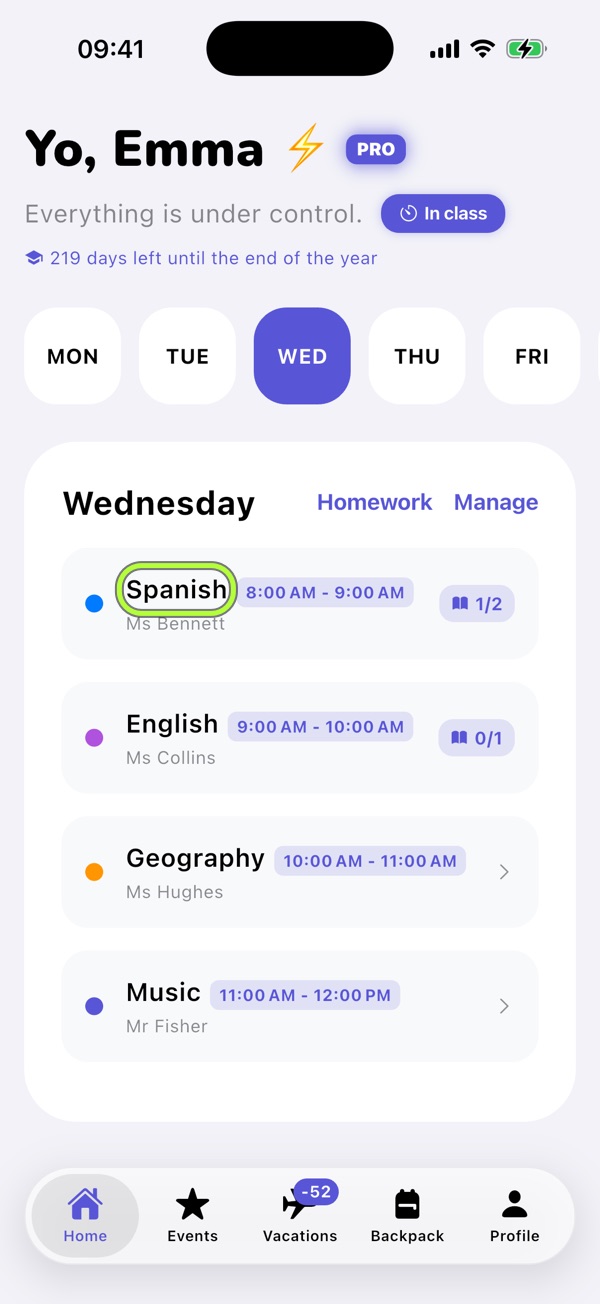
1Open a subject and write the task
With Pro, tap a subject in Home to open Homework for that date. Write what you need to do and save.
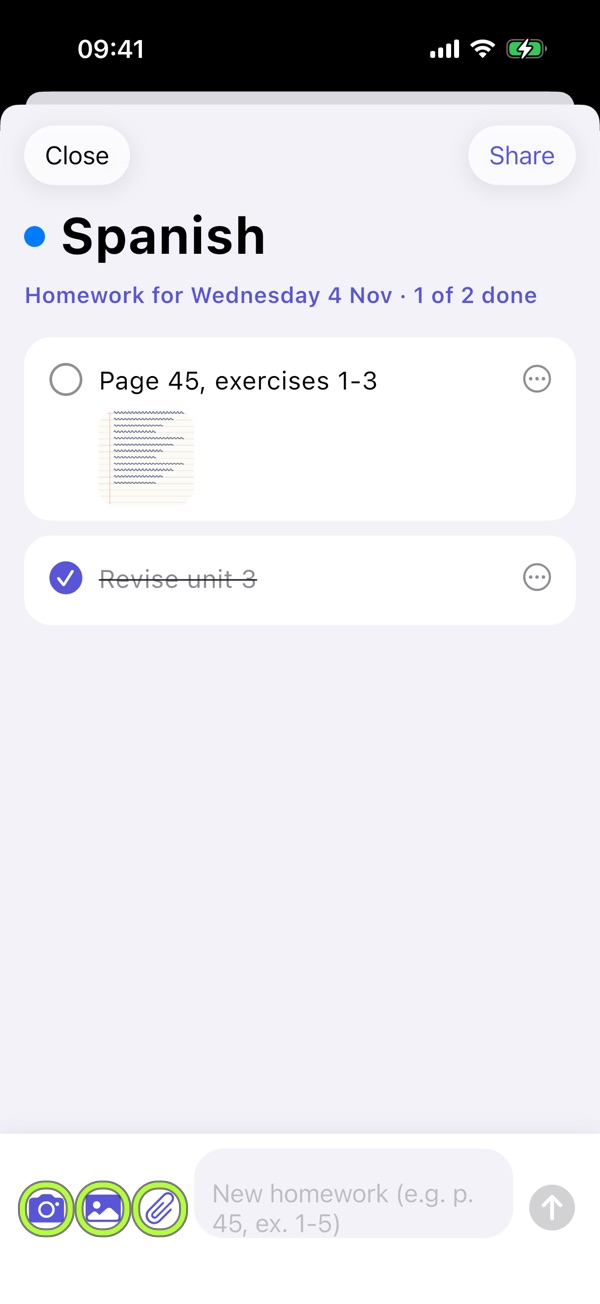
2Attach photos and documents
Use the camera or file picker to add a board photo, a book page or a PDF worksheet.
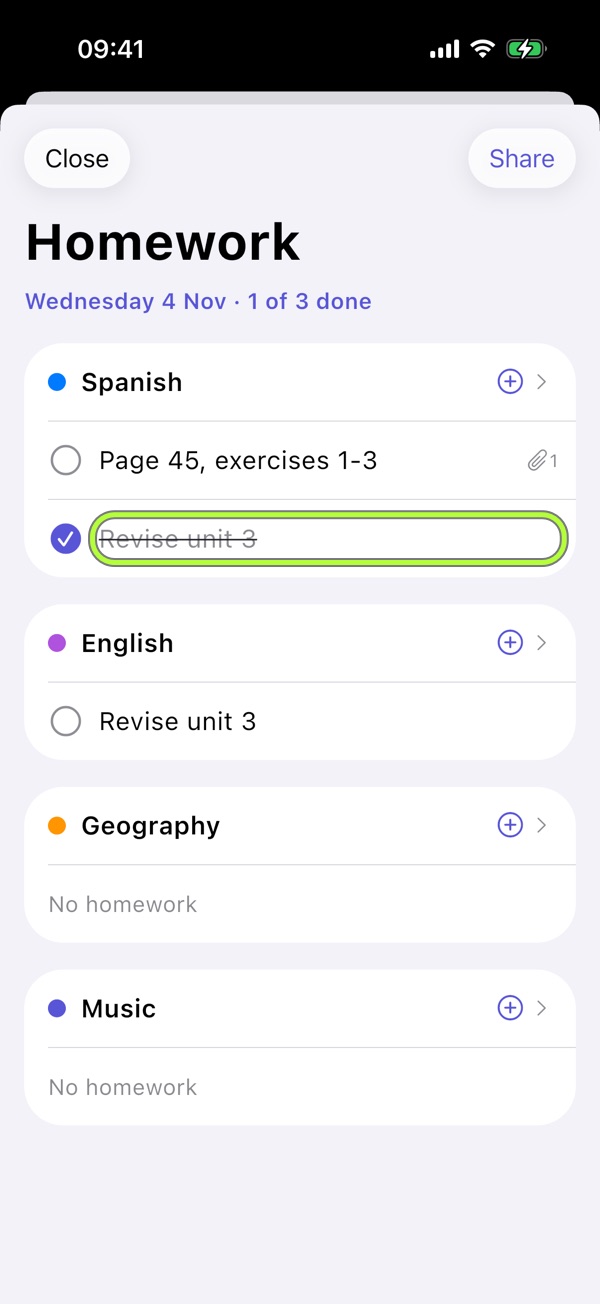
3Tick completed tasks
Tap the circle when done. Home shows progress, such as 2/3 completed.
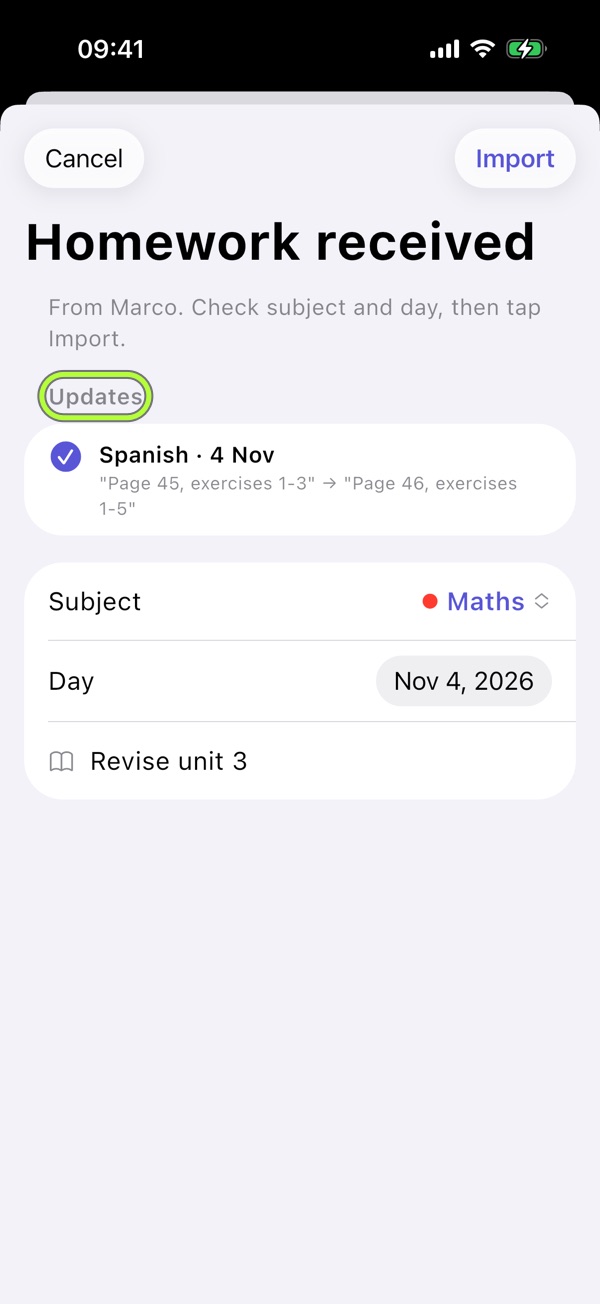
4Share and review corrections
Choose Share and select tasks. Send the .schoollife file. Recipients check subject, date and changes; if both edited the text, they choose Mine or Theirs.

School life brings it together.Your schedule, evening Backpack, tests and Vacations in one free app. No account, no ads.
Download on the App Store